DesignMD
Discover
Back to Discover

Slack

Where work happens

slack.com
5 colors
21 components
Lato
Apr 2, 2026
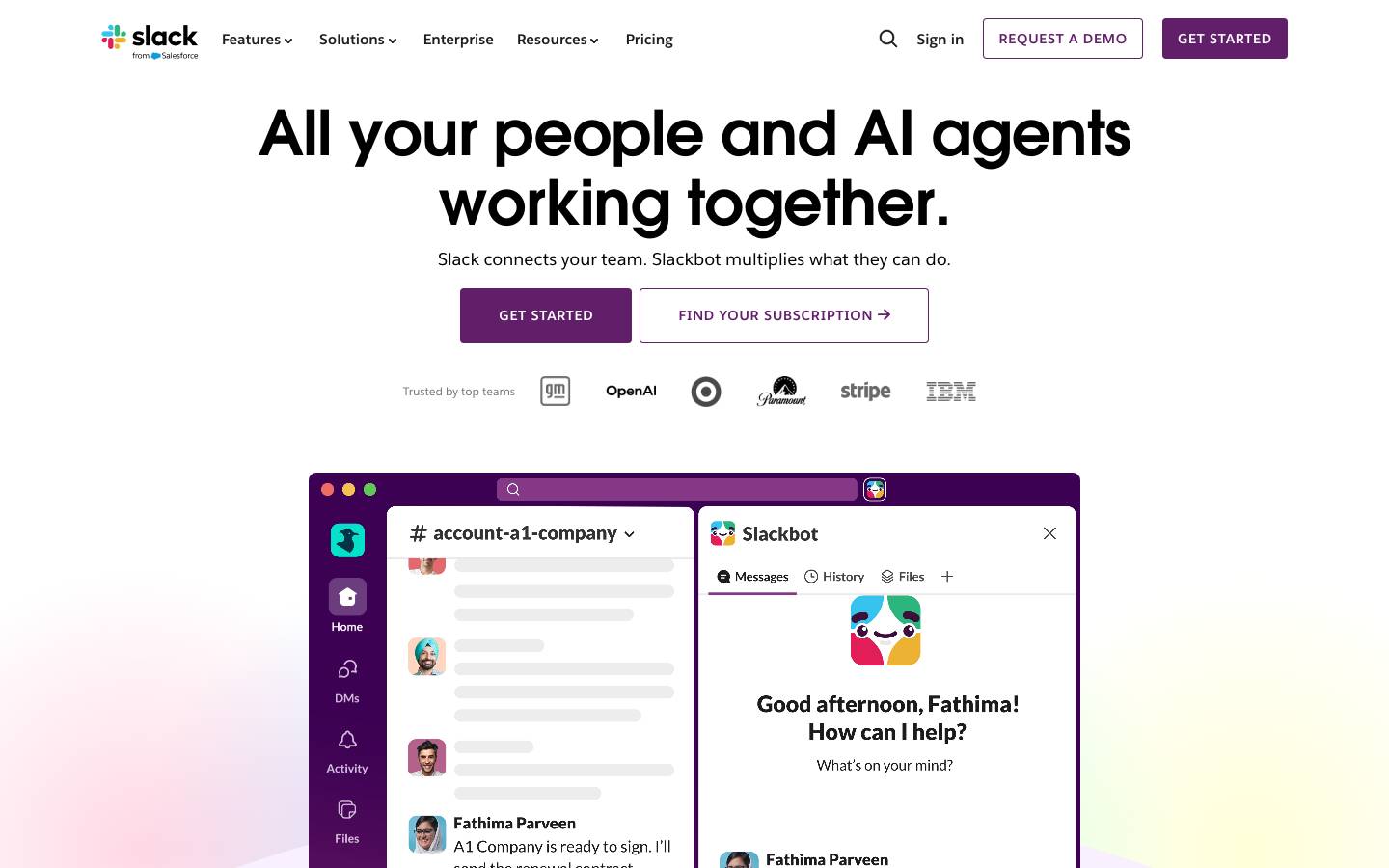
Website Preview
Slack screenshot
Colors
Primary
#4A154B

Sidebar, brand anchor

#36C5F0

Links, informational

#2EB67D

Online status, success

#ECB22E

Warnings, stars

#E01E5A

Notifications, errors

Typography
Lato
Role
SizeWeightHeight
Display
34px900
Heading
22px700
Body
15px400
Timestamp
12px400

DESIGN.md — Slack

Overview

Slack's design system balances professionalism with personality. The aubergine sidebar is instantly recognizable, while the messaging canvas stays clean and white. A four-color brand palette (blue, green, yellow, red) supports rich notification and status semantics.

Colors

Primary Palette

TokenHexUsage
color-aubergine#4A154BSidebar, brand anchor
color-blue#36C5F0Links, informational
color-green#2EB67DOnline status, success
color-yellow#ECB22EWarnings, stars
color-red#E01E5ANotifications, errors

Typography

RoleFamilySizeWeight
DisplayLato34px900
HeadingLato22px700
BodyLato15px400
TimestampLato12px400

Components

Message Bubble

  • Left: 36px avatar, right: username (bold) + timestamp
  • Message body below, reactions row at bottom
  • Hover reveals action toolbar (emoji, thread, bookmark)

Channel Sidebar

  • Aubergine background, white text
  • Sections: Channels, DMs, Apps
  • Unread bold white, muted channels in faded text

Thread Panel

  • Right side panel, 400px width
  • Original message at top, replies below
  • Reply input pinned to bottom

Do's and Don'ts

Do

  • Use aubergine for the sidebar — it is Slack's most recognizable element
  • Use the four brand colors for status semantics only
  • Keep message density comfortable with 20px vertical rhythm

Don't

  • Don't use aubergine outside the sidebar context
  • Don't render message timestamps larger than 12px
  • Don't auto-collapse threads — let users control their view

Want a DESIGN.md like this for your own website?