Tinybird
Real-time data analytics API
5 colors
16 components
Inter, IBM Plex Mono
Apr 15, 2026
Website Preview
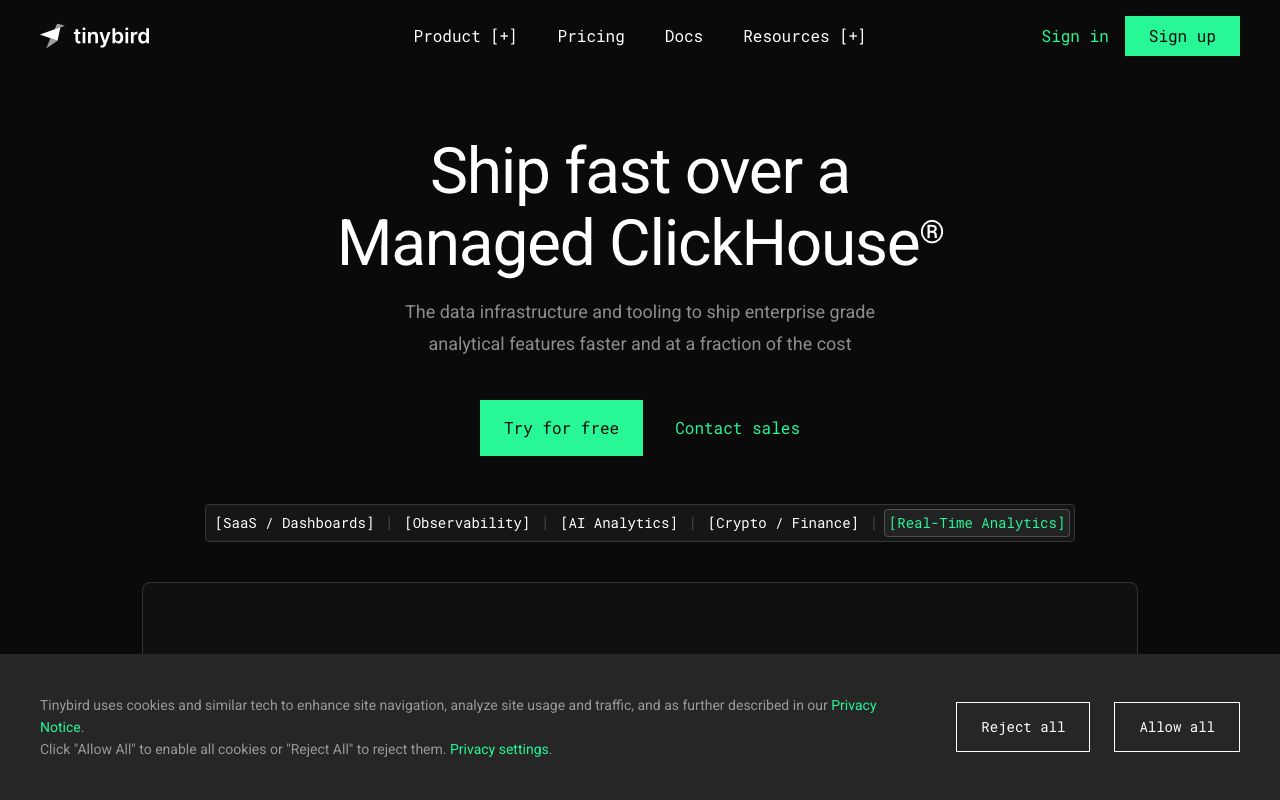
Colors
Primary
#27C486
Green accent, CTAs
#1A1A2E
Background
#FFFFFF
Primary text
#292942
Cards, editors
#A1A1B5
Secondary text
Typography
Inter
Role
SizeWeightHeight
Display
40px700—
Heading
24px600—
Body
15px400—
IBM Plex Mono
Role
SizeWeightHeight
Code
14px400—
DESIGN.md — Tinybird
Overview
Tinybird's design system marries data engineering with developer experience. A vibrant green accent on deep indigo-navy surfaces creates a technical but approachable environment for building real-time data APIs. The design emphasizes query interfaces and pipeline visualizations.
Colors
Primary Palette
| Token | Hex | Usage |
|---|---|---|
color-brand | #27C486 | Green accent, CTAs |
color-bg | #1A1A2E | Background |
color-text | #FFFFFF | Primary text |
color-surface | #292942 | Cards, editors |
color-muted | #A1A1B5 | Secondary text |
Typography
| Role | Family | Size | Weight |
|---|---|---|---|
| Display | Inter | 40px | 700 |
| Heading | Inter | 24px | 600 |
| Body | Inter | 15px | 400 |
| Code | IBM Plex Mono | 14px | 400 |
Components
Pipe Editor
- SQL editor with auto-complete for column names
- Green "Run" button, results preview below
- Node graph showing pipe dependencies
Data Source Table
- Schema columns with type badges
- Row count and last-updated timestamp
- Ingestion status indicator (streaming/batch)
API Endpoint Card
- Endpoint URL in monospace
- Request/response latency stats
- Copy cURL command button
Do's and Don'ts
Do
- Use green for execution and positive states (run, publish)
- Always show query performance metrics
- Keep SQL editors wide — never constrain below 600px
Don't
- Don't hide the data schema context when editing queries
- Don't use green for destructive actions
- Don't paginate results by default — stream them