Twitch
Interactive live streaming
5 colors
19 components
Roobert
Apr 3, 2026
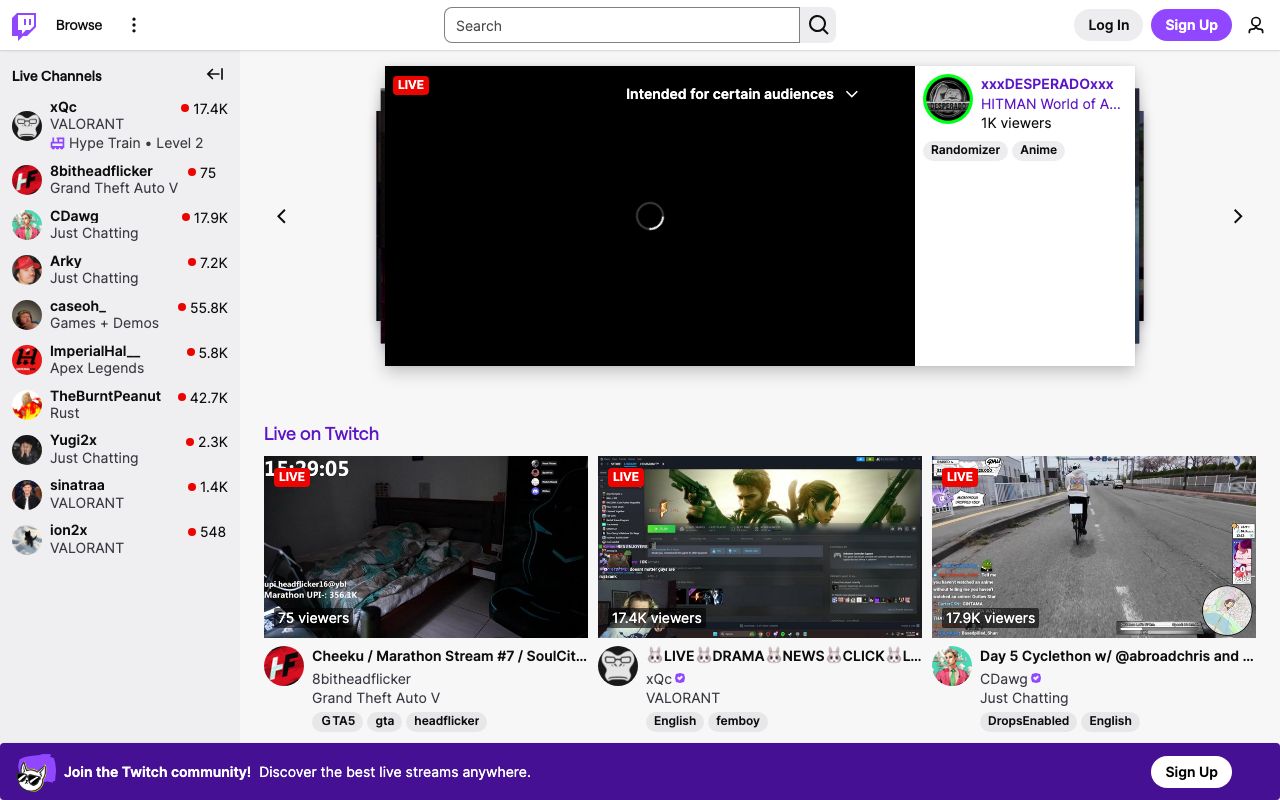
Website Preview
Colors
Primary
#9146FF
Brand purple, primary CTAs
#18181B
App background
#EFEFF1
Primary text
#26262C
Cards, panels
#53535F
Secondary text, borders
Typography
Roobert
Role
SizeWeightHeight
Display
48px700—
Heading
24px600—
Body
14px400—
Chat
13px400—
DESIGN.md — Twitch
Overview
Twitch's design system is built for live entertainment. The iconic purple permeates every interaction — from the brand mark to CTAs to the chat experience. Dark surfaces keep the focus on video content, while bright accents and animations inject the energy of live streaming.
Colors
Primary Palette
| Token | Hex | Usage |
|---|---|---|
color-brand | #9146FF | Brand purple, primary CTAs |
color-bg | #18181B | App background |
color-text | #EFEFF1 | Primary text |
color-surface | #26262C | Cards, panels |
color-muted | #53535F | Secondary text, borders |
Typography
| Role | Family | Size | Weight |
|---|---|---|---|
| Display | Roobert | 48px | 700 |
| Heading | Roobert | 24px | 600 |
| Body | Roobert | 14px | 400 |
| Chat | Roobert | 13px | 400 |
Components
Stream Card
- Thumbnail with live viewer count badge
- Streamer name, game category, tags
- Hover auto-plays preview with audio muted
Chat Panel
- Right sidebar, dark bg, scrolling messages
- Username in color, message in white
- Emote integration inline with text
- Chat input at bottom with emote picker
Follow Button
- Purple bg, white heart icon + text
- Toggles to outlined "Following" state
- Pulse animation on follow
Do's and Don'ts
Do
- Use purple as the dominant brand accent
- Prioritize video content — dark UI recedes behind streams
- Support emotes as first-class UI elements in chat
Don't
- Don't use light backgrounds for the main app shell
- Don't reduce chat font size below 13px
- Don't delay live content for animations