DesignMD
Discover
Back to Discover

Discord

Your place to talk and hang out

discord.com
5 colors
23 components
gg sans
Apr 4, 2026
Website Preview
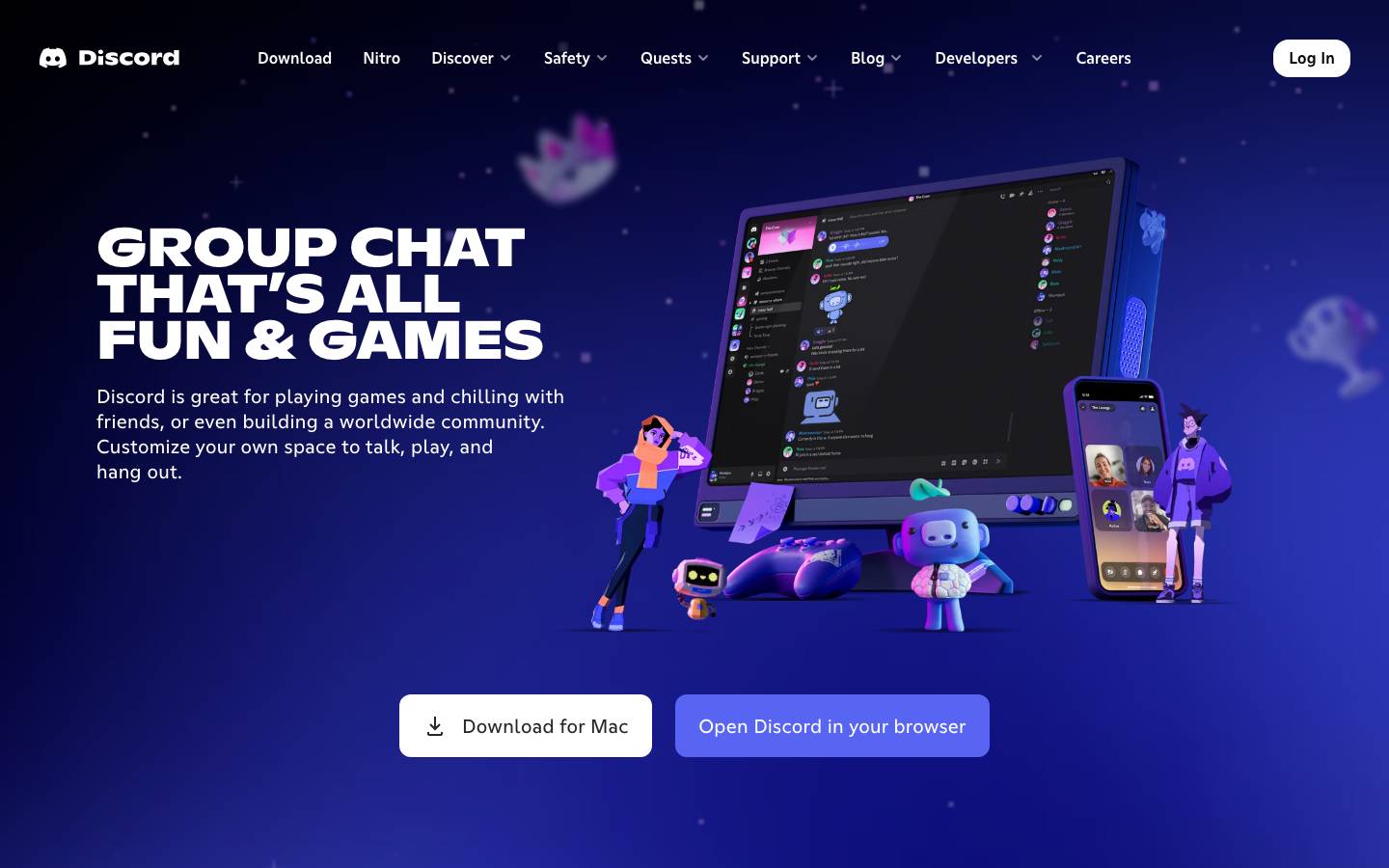
Discord screenshot
Colors
Primary
#5865F2

Brand primary, CTAs, mentions

#313338

Main chat background

#2B2D31

Sidebar background

#FFFFFF

Primary text

#949BA4

Timestamps, secondary text

Typography
gg sans
Role
SizeWeightHeight
Display
32px800
Heading
20px600
Body
16px400
Small
12px400

DESIGN.md — Discord

Overview

Discord's design system (internally "Deco") creates a playful yet functional communication hub. Blurple — Discord's signature blue-purple — anchors the identity. The dark-first interface uses layered grays to create spatial depth across servers, channels, and chat panes.

Colors

Primary Palette

TokenHexUsage
color-blurple#5865F2Brand primary, CTAs, mentions
color-bg-primary#313338Main chat background
color-bg-secondary#2B2D31Sidebar background
color-text#FFFFFFPrimary text
color-text-muted#949BA4Timestamps, secondary text

Typography

RoleFamilySizeWeight
Displaygg sans32px800
Headinggg sans20px600
Bodygg sans16px400
Smallgg sans12px400

Components

Server Sidebar

  • Vertical pill bar, 72px wide
  • Circular server icons (48px), hover rounds to squircle
  • Selection indicator: white pill on left edge

Message Row

  • Avatar (40px) + username (colored by role) + timestamp
  • Message content, attachment previews, embeds
  • Reaction row with emoji + count bubbles

Voice Channel

  • User list with avatar, name, mute/deafen icons
  • Green ring on avatar when speaking
  • Connect button in green

Do's and Don'ts

Do

  • Use Blurple for interactive elements and brand moments
  • Layer background shades to create spatial hierarchy
  • Use role colors for usernames in chat

Don't

  • Don't use pure black (#000) — always use the gray palette
  • Don't make server icons smaller than 48px
  • Don't suppress notification badges in active conversations

Want a DESIGN.md like this for your own website?